
Introduction
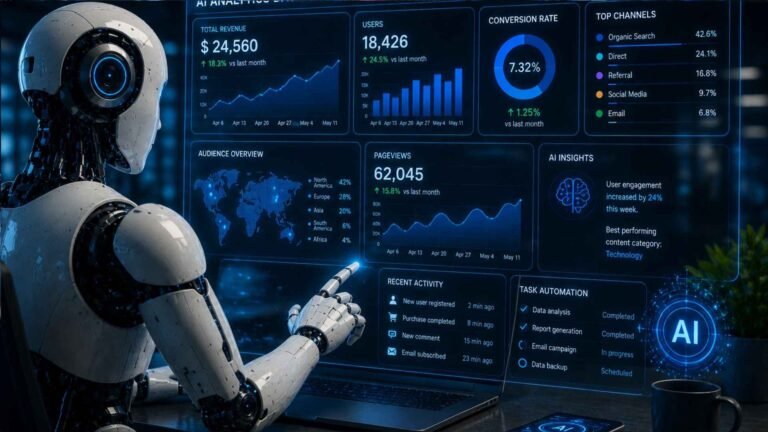
As businesses grow, teams often spend more time coordinating work than actually completing it. Meetings, emails, project updates, document management, and repetitive administrative tasks can reduce productivity and slow progress. Fortunately, artificial intelligence (AI) is helping teams work smarter by automating routine tasks, improving communication, and simplifying collaboration.
AI productivity tools can assist with writing documents, summarizing meetings, organizing projects, automating workflows, analyzing data, and managing daily tasks. Instead of replacing team members, these tools act as digital assistants that help employees focus on creative problem-solving and strategic work.
Whether you manage a small startup, a remote workforce, or a large organization, choosing the right AI productivity tools can improve collaboration, reduce manual work, and help your team achieve better results. This guide explores the best AI productivity tools for teams in 2026, their features, and the practical ways they can enhance workplace efficiency.
Quick Answer
The best AI productivity tools for teams include Microsoft Copilot for workplace productivity, ChatGPT for content creation and brainstorming, Notion AI for project management, Slack AI for communication, Google Gemini for collaboration, and Zapier for workflow automation. These tools help teams save time, improve communication, automate repetitive tasks, and increase overall productivity.
Comparison Table
| AI Tool | Best For | Key Features | Ideal Teams |
|---|---|---|---|
| Microsoft Copilot | Office productivity | AI assistance in Word, Excel, Outlook, and Teams | Microsoft 365 organizations |
| ChatGPT | Writing and brainstorming | Content creation, research, coding, summaries | Marketing, HR, sales, and support teams |
| Notion AI | Project management | Notes, documentation, task planning, knowledge base | Startups and remote teams |
| Slack AI | Team communication | Conversation summaries, search, workflow assistance | Distributed and hybrid teams |
| Google Gemini | Research and collaboration | Document drafting, brainstorming, information summaries | Google Workspace users |
| Zapier | Workflow automation | Connects apps and automates repetitive processes | Businesses of all sizes |
Why Teams Should Use AI Productivity Tools
Modern teams handle a wide range of responsibilities every day. AI helps reduce repetitive work, allowing employees to spend more time on collaboration, innovation, and customer service.
Some of the biggest benefits include:
- Faster communication
- Improved collaboration
- Reduced administrative work
- Better project organization
- Increased productivity
- Fewer manual errors
- More consistent documentation
AI serves as a productivity assistant that supports team members rather than replacing them.
Best AI Productivity Tools for Teams
Microsoft Copilot
Microsoft Copilot is one of the most powerful AI tools for organizations using Microsoft 365. It integrates directly with applications that many teams already use daily.
Copilot helps teams:
- Draft professional documents
- Analyze Excel spreadsheets
- Summarize Outlook email threads
- Generate PowerPoint presentations
- Recap Microsoft Teams meetings
- Create reports and proposals
By reducing repetitive office work, Copilot allows employees to focus on higher-value tasks.
Best For: Organizations using Microsoft 365.
ChatGPT
ChatGPT is a versatile AI assistant that supports a wide variety of workplace activities across different departments.
Teams use ChatGPT to:
- Write marketing content
- Draft emails
- Brainstorm ideas
- Create reports
- Summarize documents
- Generate code
- Prepare presentations
- Answer internal knowledge questions
Its flexibility makes it useful for marketing, customer support, HR, sales, software development, and management teams.
Best For: Content creation, communication, and problem-solving.
Notion AI
Notion AI combines documentation, project management, and AI-powered writing into a single collaborative workspace.
Teams can use it to:
- Summarize meeting notes
- Create project plans
- Organize company documentation
- Build internal knowledge bases
- Generate task lists
- Draft standard operating procedures (SOPs)
Having documents and projects in one place improves collaboration while reducing the time spent searching for information.
Best For: Project management and team documentation.
Slack AI
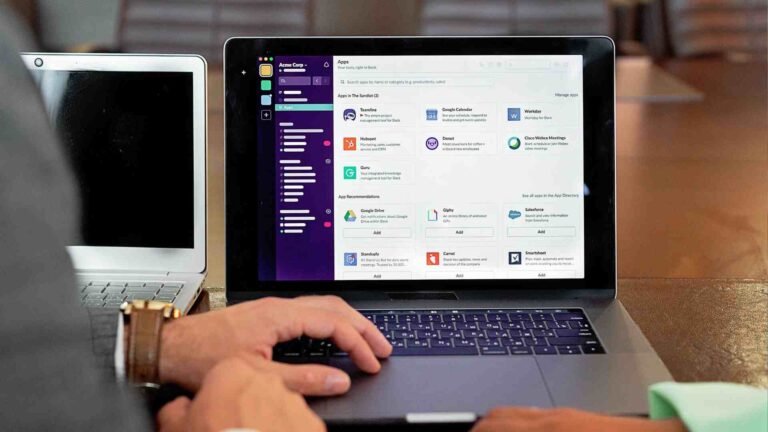
Slack AI enhances workplace communication by helping teams manage conversations more efficiently.
Its AI-powered features help users:
- Summarize lengthy conversations
- Find important information quickly
- Catch up on missed discussions
- Highlight action items
- Improve team communication
These capabilities are particularly valuable for remote and hybrid teams that communicate throughout the day using Slack.
Best For: Team communication and collaboration.
Google Gemini
Google Gemini helps teams research information, generate content, and collaborate more effectively within the Google Workspace ecosystem.
Teams can use Gemini to:
- Draft business documents
- Brainstorm ideas
- Summarize reports
- Create meeting agendas
- Research industry topics
- Generate presentation outlines
For businesses that rely on Google Docs, Gmail, Sheets, and Slides, Gemini can streamline daily workflows and reduce the time spent creating content.
Best For: Google Workspace collaboration.
Zapier
Many teams use dozens of software applications every day. Zapier connects these apps and automates repetitive workflows without requiring programming skills.
Common automations include:
- Creating tasks from form submissions
- Sending Slack notifications
- Updating CRM records
- Syncing customer information
- Creating calendar events
- Backing up important files
Even simple automations can save hours of manual work each week while reducing the chance of human error.
Best For: Workflow automation.
How Teams Can Use AI Every Day
Automate Meeting Notes
Meetings often produce lengthy notes that take time to organize and distribute.
AI can automatically:
- Summarize discussions
- Identify action items
- Assign responsibilities
- Highlight important decisions
- Create follow-up summaries
This ensures every team member stays informed without manually reviewing long meeting transcripts.
Improve Team Communication
Clear communication keeps projects moving efficiently.
AI can help teams:
- Draft professional emails
- Summarize chat conversations
- Rewrite messages for clarity
- Translate content
- Generate announcements
- Prepare meeting invitations
These features reduce communication delays and improve collaboration across departments.
Create Content Faster
Marketing, HR, and sales teams often produce large amounts of written content.
AI helps generate:
- Blog articles
- Social media posts
- Product descriptions
- Sales proposals
- Email campaigns
- Internal documentation
- Training materials
Instead of starting from scratch, teams can create first drafts in minutes and then customize them.
Organize Projects
Keeping projects organized becomes more difficult as teams grow.
AI can assist by:
- Creating project plans
- Generating task lists
- Prioritizing work
- Tracking deadlines
- Summarizing project progress
- Organizing documentation
Better organization helps teams stay on schedule and avoid missed deadlines.
Analyze Business Data
AI tools can process large amounts of information much faster than manual analysis.
Teams can use AI to:
- Review sales reports
- Analyze customer feedback
- Identify trends
- Summarize spreadsheets
- Create performance reports
- Generate business insights
These capabilities support faster and more informed decision-making.
Tips for Choosing an AI Productivity Tool
Match the Tool to Your Workflow
Different teams have different priorities.
For example:
- Marketing teams may benefit most from ChatGPT.
- Microsoft-based organizations may prefer Microsoft Copilot.
- Google Workspace users may choose Google Gemini.
- Remote teams often rely on Slack AI.
- Project-focused teams may prefer Notion AI.
Selecting tools that fit your existing workflow improves adoption and productivity.
Consider Integrations
Choose AI tools that connect with your current software.
Look for integrations with:
- Microsoft 365
- Google Workspace
- Slack
- Trello
- Asana
- Jira
- Salesforce
- HubSpot
Strong integrations reduce manual work and eliminate the need to switch constantly between applications.

Prioritize Ease of Use
The best productivity tools are easy for everyone on the team to learn.
Look for software that offers:
- Simple interface
- Quick setup
- Helpful templates
- Strong documentation
- Mobile access
- Reliable customer support
Easy-to-use tools encourage consistent adoption and help teams realize productivity gains more quickly.
Common Mistakes Teams Make When Using AI
AI can improve collaboration and productivity, but it delivers the best results when used thoughtfully. Teams should avoid relying on AI without human oversight.
Some common mistakes include:
- Using AI-generated content without reviewing it
- Sharing confidential company or customer information with AI tools
- Expecting AI to replace human decision-making
- Using too many AI tools with overlapping features
- Ignoring employee training and adoption
- Failing to establish guidelines for AI usage
The most successful teams use AI as a productivity assistant while maintaining human oversight for important decisions.
Best Practices for Using AI in Teams
To maximize the benefits of AI, establish clear processes and encourage responsible use across your organization.
Create AI Usage Guidelines
Develop simple guidelines that explain:
- Which AI tools employees can use
- What company data should never be shared
- How AI-generated content should be reviewed
- When human approval is required
- How to verify AI-generated information
Having clear policies helps ensure consistent and secure AI adoption.
Automate Repetitive Tasks First
Start by automating tasks that consume the most time, such as:
- Meeting summaries
- Email drafting
- Data entry
- Report creation
- Task assignments
- Customer support responses
Automating routine work allows team members to focus on problem-solving, creativity, and customer relationships.
Train Your Team
Providing basic AI training helps employees use these tools more effectively.
Training should cover:
- Writing effective prompts
- Reviewing AI-generated content
- Protecting sensitive information
- Choosing the right AI tool for each task
- Understanding AI’s strengths and limitations
A well-trained team is more likely to adopt AI successfully and use it responsibly.
The Future of AI Productivity Tools
AI productivity tools are evolving rapidly, offering more advanced capabilities every year. Future developments are expected to make teamwork even more efficient through deeper integration and smarter automation.
Emerging trends include:
- AI-powered project managers
- Automated meeting scheduling
- Real-time language translation for global teams
- Predictive workload management
- Smarter workflow automation
- AI-generated business reports
- Personalized productivity recommendations
- Advanced collaboration assistants
As AI becomes a standard part of workplace technology, teams that embrace it responsibly will be better positioned to improve efficiency and remain competitive.

Final Verdict
AI productivity tools are helping teams collaborate more effectively by reducing repetitive work, improving communication, and streamlining project management. Whether your organization needs help with content creation, workflow automation, documentation, or business analysis, there are AI solutions designed to support every stage of the workflow.
Microsoft Copilot, ChatGPT, Notion AI, Slack AI, Google Gemini, and Zapier each offer unique strengths. The best choice depends on your team’s existing software, business goals, and collaboration style.
Rather than replacing employees, AI enables teams to spend less time on routine tasks and more time on innovation, strategic planning, and delivering value to customers. By choosing the right tools and implementing clear AI practices, organizations can improve productivity and create a more efficient workplace in 2026 and beyond.
Frequently Asked Questions
1. What is the best AI productivity tool for teams?
The best tool depends on your team’s workflow. Microsoft Copilot is ideal for Microsoft 365 users, ChatGPT is excellent for writing and brainstorming, Notion AI is great for project management, and Zapier is a top choice for workflow automation.
2. Can AI improve team collaboration?
Yes. AI helps teams communicate more effectively, summarize meetings, organize projects, automate repetitive tasks, and keep important information accessible, leading to better collaboration and productivity.
3. Are AI productivity tools suitable for small businesses?
Absolutely. Many AI tools offer free or affordable plans, making them accessible for startups and small businesses looking to improve efficiency without significantly increasing costs.
4. Is it safe for teams to use AI?
Yes, provided organizations use trusted AI platforms, follow security best practices, and avoid sharing confidential or sensitive business information without proper safeguards.
5. How do I choose the right AI productivity tool?
Consider your team’s current software, collaboration needs, budget, required integrations, and the tasks you want to automate. Starting with one or two tools that solve your biggest productivity challenges is often the most effective approach.
Conclusion
The best AI productivity tools for teams help organizations save time, improve communication, and simplify everyday work. By automating repetitive tasks such as document creation, meeting summaries, workflow management, and data analysis, teams can focus on collaboration, innovation, and achieving business goals.
Start by identifying your team’s biggest productivity bottlenecks and choose AI tools that integrate with your existing workflow. As your team becomes more comfortable using AI, you can expand its role to automate additional processes and support more complex projects.
When combined with human expertise and effective collaboration, AI becomes a valuable partner that helps teams work smarter, deliver better results, and stay competitive in an increasingly digital workplace.